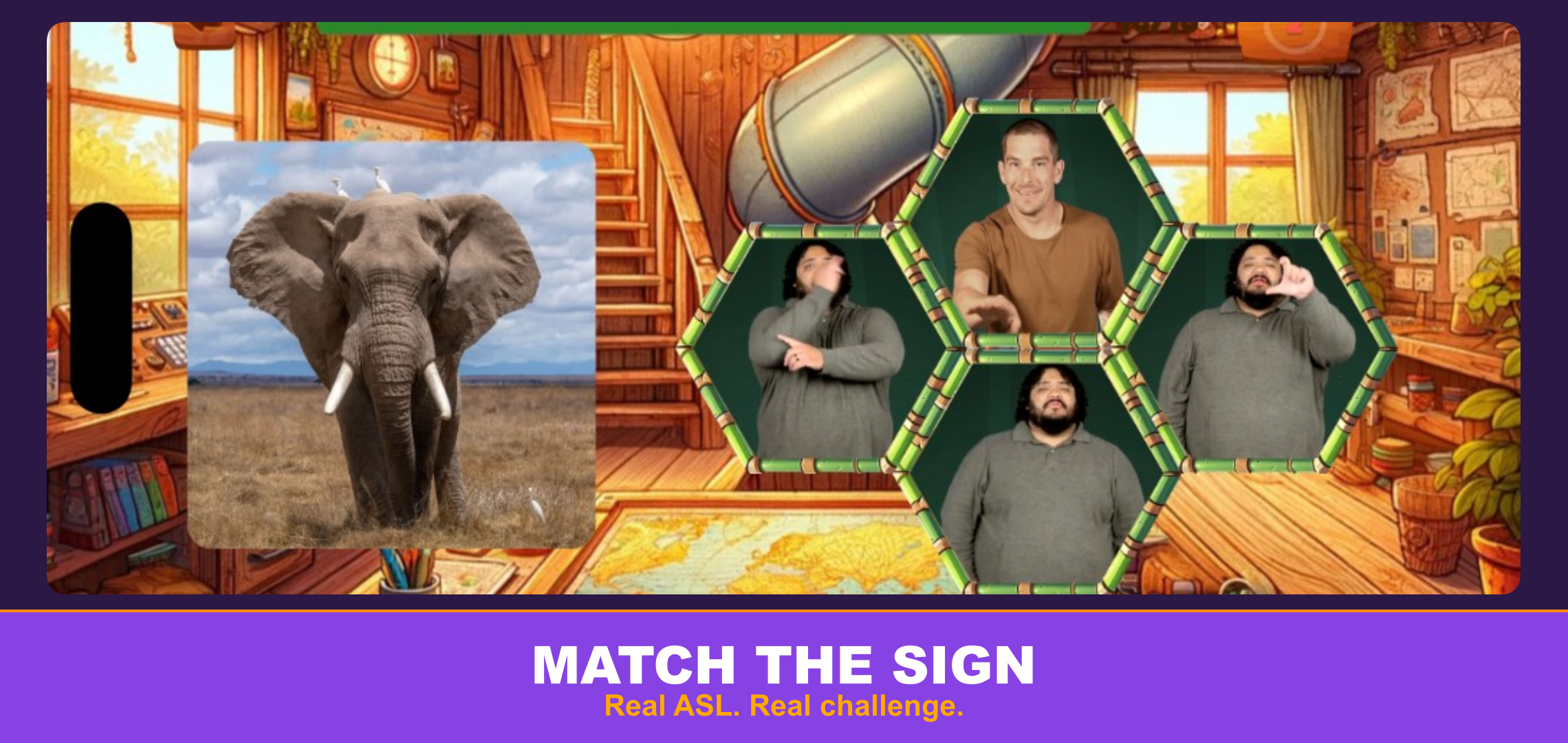
Multiple Choice is our newest game mode — and for educators, it’s the closest thing to a receptive-comprehension quiz that actually feels like a game. Here’s how to integrate it into your ASL classroom, whether you’re teaching ASL 1 or an advanced interpreting course.
What Makes Multiple Choice Different for Classrooms
Unlike Memory Match (visual matching) or TILT! (expressive/collaborative), Multiple Choice targets receptive discrimination — the ability to watch a sign and identify its meaning when surrounded by visually similar alternatives. This is the skill that separates quiz-passers from real communicators.
The wrong answers are always signs that share parameters (handshape, location, or movement) with the correct answer. Students can’t rely on elimination or obvious outliers. They have to actually know the sign.
6 Ways to Use Multiple Choice
1. Bell Ringer / Warm-Up (5 Minutes)
Start class with a quick Multiple Choice round on Easy mode. Pick the vocabulary pack that matches your current unit. The 20-second timer is generous enough to avoid frustration while still getting brains engaged.
Why it works: Activates prior knowledge, surfaces forgotten vocabulary before the lesson reinforces it.
2. Formative Assessment Check
Assign a specific card pack on Normal difficulty through your LMS using Deep Linking. The 80% threshold gives you a clean pass/fail signal for gradebook purposes, while the individual question data tells you which signs students are confusing.
LMS setup: Deep Link → Select “Multiple Choice” → Choose pack → Set difficulty → Students launch from your LMS and scores pass back automatically via AGS 2.0.
3. Differentiated Practice
Assign different difficulty levels based on student readiness:
ASL 1 / Beginners
Builds confidence, introduces discrimination concept
ASL 2 / Intermediate
Natural signing speed, broader distractor pool
ASL 3+ / Advanced
Contextual usage, tighter timer, more confusable distractors
Students who struggle at Normal can drop to Easy without penalty. Students who ace Easy can self-select up. No shame in either direction — the game’s non-punitive design makes this natural.
4. Homework That Doesn’t Feel Like Homework
Assign 2-3 card packs per week as practice homework. Students play on their own time, on their own device. The streak system rewards consistency over perfection — students who play a little every day outperform those who cram.
Pro tip: Assign the same pack on multiple difficulty levels across the week. Monday: Easy. Wednesday: Normal. Friday: attempt Hard. Students see their own growth.
5. Unit Review / Test Prep
Before a unit exam, assign the relevant pack on Hard difficulty. The confusable-distractor design forces exactly the kind of discrimination students need for live receptive assessments. Signs they get wrong in Multiple Choice are the ones to focus on during in-class review.
Pair with: A sign production (expressive) assessment for well-rounded evaluation. Multiple Choice covers receptive; you cover expressive.
6. Peer Competition & Class Challenges
Post a weekly “Challenge Pack” and see who can achieve the highest streak on Hard mode. The non-punitive scoring (0 for wrong, never negative) means competition stays positive. Students celebrate streaks, not perfection.
Bonus: Screenshot and share class records on your learning management system’s announcement board.
Difficulty Level Decision Guide
Not sure which level to assign? Here’s a quick framework:
- Easy → Students are still building basic vocabulary (first semester)
- Normal → Students recognize most signs but confuse similar ones (second semester+)
- Hard → Students need real-world receptive fluency (advanced courses, interpreting prep)
When in doubt, start one level lower than you think. Students will self-correct upward when they’re ready. The zero-penalty design means there’s no harm in attempting harder levels early.
Gradebook Integration
Multiple Choice works with your LMS exactly like our other game modes:
- LTI 1.3 launch via single sign-on
- Deep Linking 2.0 for content selection
- Assignment & Grade Services 2.0 for automatic score passback
- Threshold: 80% accuracy = “completed” in gradebook
- Supported: Canvas, Schoology, Brightspace, Moodle, Blackboard, and any LTI 1.3-compliant system
Teachers don’t need to install anything new. If you’re already using Play With ASL: School Edition, Multiple Choice is available to your students right now.
Ready to Try It?
The School Edition is free for teachers through our Teach With ASL program. Student access starts at $5/student/month with volume savings for longer terms.
Visit our School Edition page to get started, check our Resources page for video tutorials, or contact us to schedule a demo.
Same handshape. Different meaning. Real learning.